
Salesforce Knowledge 是一个知识库,用户可以在其中轻松创建和管理 内容,称为文章,并快速查找和查看他们需要的文章。
使用 Apex 访问以下 Salesforce Knowledge 功能:
- 知识管理
除了 Salesforce 用户界面外,用户还可以使用 Apex 编写、发布、存档和管理文章。 - 升级的搜索词 升级的搜索词
对于推广 Salesforce Knowledge 文章非常有用,您知道该文章通常用于解决最终用户搜索包含某些关键字时的支持问题。除了 Salesforce 用户界面之外,用户还可以通过将关键字与 Apex 中的文章相关联(通过使用 SearchPromotionRule sObject)来在搜索结果中推广文章。 - 建议 Salesforce 知识文章 为用户提供快捷方式,以便在用户执行搜索之前导航到相关文章
。调用以返回标题与用户的搜索查询字符串匹配的 Salesforce Knowledge 文章列表。Search.suggest(searchText, objectType, options)
知识管理
用户可以使用 Apex 编写、发布、存档和管理文章,此外 Salesforce 用户界面。使用类中的方法管理文章及其翻译生命周期的以下部分:
KbManagement.PublishingService
- 出版
- 更新
- 检索
- 删除
- 提交翻译
- 将翻译设置为完成或未完成状态
- 归档
- 为文章草稿或翻译分配审校任务
注意
日期值基于 GMT。若要使用此类中的方法,必须启用 Salesforce 知识。请参阅 Salesforce 知识实施 有关设置 Salesforce Knowledge 的更多信息的指南。
推广的搜索词
推广的搜索词对于推广 您知道的 Salesforce 知识文章通常用于解决以下情况下的支持问题 最终用户的搜索包含某些关键字。 用户可以通过以下方式在搜索结果中推广文章 将关键字与 Apex 中的文章相关联(通过使用 SearchPromotionRule sObject) 添加到 Salesforce 用户界面。
文章必须处于已发布状态(PublishSatus 字段值为 Online),以便您管理其推广的字词。
例
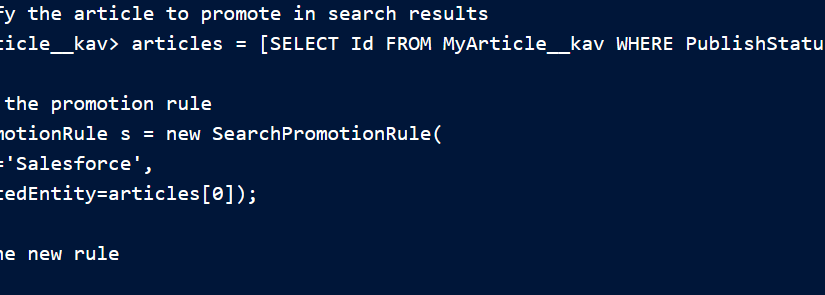
此代码示例演示如何添加搜索 晋升规则。此示例执行查询以获取类型为 MyArticle__kav 的已发布文章。 接下来,该示例创建一个 SearchPromotionRule sObject 来升级包含 单词“Salesforce”,并将第一个返回的文章分配给它。最后,样品插入 这个新的 s对象。
// Identify the article to promote in search results
List<MyArticle__kav> articles = [SELECT Id FROM MyArticle__kav WHERE PublishStatus='Online' AND Language='en_US' AND Id='Article Id'];

// Define the promotion rule
SearchPromotionRule s = new SearchPromotionRule(
    Query='Salesforce',
    PromotedEntity=articles[0]);

// Save the new rule
insert s;
要在 SearchPromotionRule sObject,则必须启用 Salesforce Knowledge。
推荐 Salesforce 知识文章
为用户提供快捷方式,以便在用户执行 搜索。调用以返回标题与 用户的搜索查询字符串。
Search.suggest(searchText, objectType, options)
要返回建议,请启用 Salesforce Knowledge。请参阅 Salesforce 知识实施 有关设置 Salesforce Knowledge 的更多信息的指南。此 Visualforce 页面有一个用于搜索文章或帐户的输入字段。当用户 按“建议”按钮,显示建议的记录。如果超过五个 结果,则显示“更多结果”按钮。要显示更多结果,请单击该按钮。
<apex:page controller="SuggestionDemoController">
<apex:form >
<apex:pageBlock mode="edit" id="block">
<h1>Article and Record Suggestions</h1>
<apex:pageBlockSection >
<apex:pageBlockSectionItem >
<apex:outputPanel >
<apex:panelGroup >
<apex:selectList value="{!objectType}" size="1">
<apex:selectOption itemLabel="Account" itemValue="Account" />
<apex:selectOption itemLabel="Article" itemValue="KnowledgeArticleVersion" />
<apex:actionSupport event="onchange" rerender="block"/>
</apex:selectList>
</apex:panelGroup>
<apex:panelGroup >
<apex:inputHidden id="nbResult" value="{!nbResult}" />
<apex:outputLabel for="searchText">Search Text</apex:outputLabel>
<apex:inputText id="searchText" value="{!searchText}"/>
<apex:commandButton id="suggestButton" value="Suggest" action="{!doSuggest}"
rerender="block"/>
<apex:commandButton id="suggestMoreButton" value="More results..." action="{!doSuggestMore}"
rerender="block" style="{!IF(hasMoreResults, '', 'display: none;')}"/>
</apex:panelGroup>
</apex:outputPanel>
</apex:pageBlockSectionItem>
</apex:pageBlockSection>
<apex:pageBlockSection title="Results" id="results" columns="1" rendered="{!results.size>0}">
<apex:dataList value="{!results}" var="w" type="1">
Id: {!w.SObject['Id']}
<br />
<apex:panelGroup rendered="{!objectType=='KnowledgeArticleVersion'}">
Title: {!w.SObject['Title']}
</apex:panelGroup>
<apex:panelGroup rendered="{!objectType!='KnowledgeArticleVersion'}">
Name: {!w.SObject['Name']}
</apex:panelGroup>
<hr />
</apex:dataList>
</apex:pageBlockSection>
<apex:pageBlockSection id="noresults" rendered="{!results.size==0}">
No results
</apex:pageBlockSection>
<apex:pageBlockSection rendered="{!LEN(searchText)>0}">
Search text: {!searchText}
</apex:pageBlockSection>
</apex:pageBlock>
</apex:form>
</apex:page>此代码是 页:
public class SuggestionDemoController {

    public String searchText;
    public String language = 'en_US';
    public String objectType = 'Account';
    public Integer nbResult = 5;
    public Transient Search.SuggestionResults suggestionResults;

    public String getSearchText() {
        return searchText;
    }

    public void setSearchText(String s) {
        searchText = s;
    }

    public Integer getNbResult() {
        return nbResult;
    }

    public void setNbResult(Integer n) {
        nbResult = n;
    }

    public String getLanguage() {
        return language;
    }

    public void setLanguage(String language) {
        this.language = language;
    }

    public String getObjectType() {
        return objectType;
    }

    public void setObjectType(String objectType) {
        this.objectType = objectType;
    }

    public List<Search.SuggestionResult> getResults() {
        if (suggestionResults == null) {
            return new List<Search.SuggestionResult>();
        }

        return suggestionResults.getSuggestionResults();
    }

    public Boolean getHasMoreResults() {
        if (suggestionResults == null) {
            return false;
        }
        return suggestionResults.hasMoreResults();
    }

    public PageReference doSuggest() {
        nbResult = 5;
        suggestAccounts();
        return null;
    }

    public PageReference doSuggestMore() {
        nbResult += 5;
        suggestAccounts();
        return null;
    }

    private void suggestAccounts() {
        Search.SuggestionOption options = new Search.SuggestionOption();
        Search.KnowledgeSuggestionFilter filters = new Search.KnowledgeSuggestionFilter();
        if (objectType=='KnowledgeArticleVersion') {
            filters.setLanguage(language);
            filters.setPublishStatus('Online');
        }
        options.setFilter(filters);
        options.setLimit(nbResult);
        suggestionResults = Search.suggest(searchText, objectType, options);
    }
}
Salesforce文件
使用 Apex 自定义 Salesforce Files 的行为。
- 自定义文件下载 当用户尝试使用 Apex 回调下载文件时,
您可以自定义文件的行为。ContentVersion 支持在下载操作后修改文件行为,例如防病毒扫描和信息权限管理 (IRM)。API 版本 39.0 及更高版本中提供了文件下载自定义。 - 自定义文件下载示例
您可以使用 Apex 在尝试下载时自定义文件的行为。这些示例假定只下载一个文件。API 版本 39.0 及更高版本中提供了文件下载自定义。
自定义文件下载
当用户尝试使用 Apex 回调。ContentVersion 支持修改后的文件行为,例如防病毒扫描和 信息权限管理 (IRM),在下载操作之后。文件下载定制是 在 API 版本 39.0 及更高版本中可用。
自定义代码在下载之前运行,并确定下载是否可以继续。
命名空间包含用于自定义的 Apex 对象 Salesforce 文件在下载之前的行为。 提供用于自定义文件下载的界面。 该类定义相关的值 是否允许下载,以及否则该怎么做。枚举是进行下载的上下文。SfcContentDownloadHandlerFactoryContentDownloadHandlerContentDownloadContext
您可以使用 Apex 从 Salesforce 中的“内容”选项卡自定义多文件下载 经典。Apex 函数参数 List<ID> 处理 ContentVersion ID 列表。
自定义也适用于内容包和内容交付。List<ID> 是 ContentPack 中的版本 ID。在多文件或 ContentPack 下载上进行设置会导致整个下载失败。你 可以通过 中的 URL 参数将问题文件的列表传递回错误页面。isDownloadAllowed = falseredirectUrl
例
- 根据用户配置文件、正在使用的设备或文件类型阻止下载文件 和大小。
- 应用 IRM 控件来跟踪信息,例如文件被 下载。
- 在下载之前标记可疑文件,并重定向它们以进行防病毒扫描。
流程执行
当从 UI、Connect API 或检索 sObject 调用触发下载时,将查找 的实现。如果没有 找到实现,继续下载。否则,用户将被重定向到已 在属性中定义。如果找到多个实现,则对它们进行级联处理(按名称排序)和 考虑第一个不允许下载的。ContentVersion.VersionDataSfc.ContentDownloadHandlerFactoryContentDownloadHandler#redirectUrl
注意
如果 SOAP API 操作触发下载,它将通过 Apex 类来检查 是否允许下载。如果不允许下载,则无法处理重定向, 并返回包含错误消息的异常。
自定义文件下载示例
您可以使用 Apex 在尝试下载时自定义文件的行为。这些 示例假定只下载一个文件。文件下载定制是 在 API 版本 39.0 及更高版本中可用。
例
此示例演示了一个系统,该系统需要下载才能通过 IRM 进行 对某些用户进行控制。对于允许下载的修改所有数据 (MAD) 用户 文件,其用户 ID 为 :
005xx
// Allow customization of the content Download experience
public class ContentDownloadHandlerFactoryImpl implements Sfc.ContentDownloadHandlerFactory {

public Sfc.ContentDownloadHandler getContentDownloadHandler(List<ID> ids, Sfc.ContentDownloadContext context) {
    Sfc.ContentDownloadHandler contentDownloadHandler = new Sfc.ContentDownloadHandler();

    if(UserInfo.getUserId() == '005xx') {
        contentDownloadHandler.isDownloadAllowed = true;
        return contentDownloadHandler;
    }

    contentDownloadHandler.isDownloadAllowed = false;
    contentDownloadHandler.downloadErrorMessage = 'This file needs to be IRM controlled. You're not allowed to download it';
    contentDownloadHandler.redirectUrl ='/apex/IRMControl?Id='+ids.get(0);
    return contentDownloadHandler;
}
}
注意
自 请参阅 MAD 用户配置文件,您可以使用 代替 .UserInfo.getProfileId()UserInfo.getUserId()
在此示例中,是为 显示用于从 IRM 系统下载文件的链接。您需要一个控制器 调用 IRM 系统的此页面。在处理文件时,它会给出一个 端点,以便在文件受到控制时下载文件。IRM 系统使用 sObject API 来获取这个 .因此,IRM 系统需要 VersionID,并且必须使用 MAD 用户检索 VersionData。IRMControlVersionDataContentVersion
您的 IRM 系统处于 http://irmsystem,并且期望 VersionID 为 查询参数。IRM 系统返回包含下载终结点的 JSON 响应 在值中。downloadEndpoint
public class IRMController {

private String downloadEndpoint;

public IRMController() {
    downloadEndpoint = '';
}

public void applyIrmControl() {
    String versionId = ApexPages.currentPage().getParameters().get('id');
    Http h = new Http();

    //Instantiate a new HTTP request, specify the method (GET) as well as the endpoint
    HttpRequest req = new HttpRequest();
    req.setEndpoint('http://irmsystem?versionId=' + versionId);
    req.setMethod('GET');

    // Send the request, and retrieve a response
    HttpResponse r = h.send(req);
    JSONParser parser = JSON.createParser(r.getBody());
      while (parser.nextToken() != null) {
        if ((parser.getCurrentToken() == JSONToken.FIELD_NAME) &&
            (parser.getText() == 'downloadEndpoint')) {
                parser.nextToken();
                downloadEndpoint = parser.getText();
                break;
        }
    }
}

public String getDownloadEndpoint() {
    return downloadEndpoint;
}

}
例
下面的示例创建一个实现接口的类,并返回 阻止将文件下载到移动设备的下载处理程序 装置。
ContentDownloadHandlerFactory
// Allow customization of the content Download experience
public class ContentDownloadHandlerFactoryImpl implements Sfc.ContentDownloadHandlerFactory {

public Sfc.ContentDownloadHandler getContentDownloadHandler(List<ID> ids, Sfc.ContentDownloadContext context) {
    Sfc.ContentDownloadHandler contentDownloadHandler = new Sfc.ContentDownloadHandler();

    if(context == Sfc.ContentDownloadContext.MOBILE) {
        contentDownloadHandler.isDownloadAllowed = false;
        contentDownloadHandler.downloadErrorMessage = 'Downloading a file from a mobile device isn't allowed.';
        return contentDownloadHandler;
    }
    contentDownloadHandler.isDownloadAllowed = true;
    return contentDownloadHandler;
}
例
您还可以阻止从移动设备下载文件,并要求 文件必须通过 IRM 控制。
// Allow customization of the content Download experience
public class ContentDownloadHandlerFactoryImpl implements Sfc.ContentDownloadHandlerFactory {

public Sfc.ContentDownloadHandler getContentDownloadHandler(List<ID> ids, Sfc.ContentDownloadContext context) {
    Sfc.ContentDownloadHandler contentDownloadHandler = new Sfc.ContentDownloadHandler();

    if(UserInfo.getUserId() == '005xx000001SvogAAC') {
        contentDownloadHandler.isDownloadAllowed = true;
        return contentDownloadHandler;
    }
    if(context == Sfc.ContentDownloadContext.MOBILE) {
        contentDownloadHandler.isDownloadAllowed = false;
        contentDownloadHandler.downloadErrorMessage = 'Downloading a file from a mobile device isn't allowed.';
        return contentDownloadHandler;
    }

    contentDownloadHandler.isDownloadAllowed = false;
    contentDownloadHandler.downloadErrorMessage = 'This file needs to be IRM controlled. You're not allowed to download it';
    contentDownloadHandler.redirectUrl ='/apex/IRMControl?Id='+id.get(0);
    return contentDownloadHandler;
}
}